Submission Instructions
How to Submit Artwork for 80 Santa Fe Art Gallery
1. Once you click the link for the show you’d like to participate in, you will be directed to that show’s welcome page.
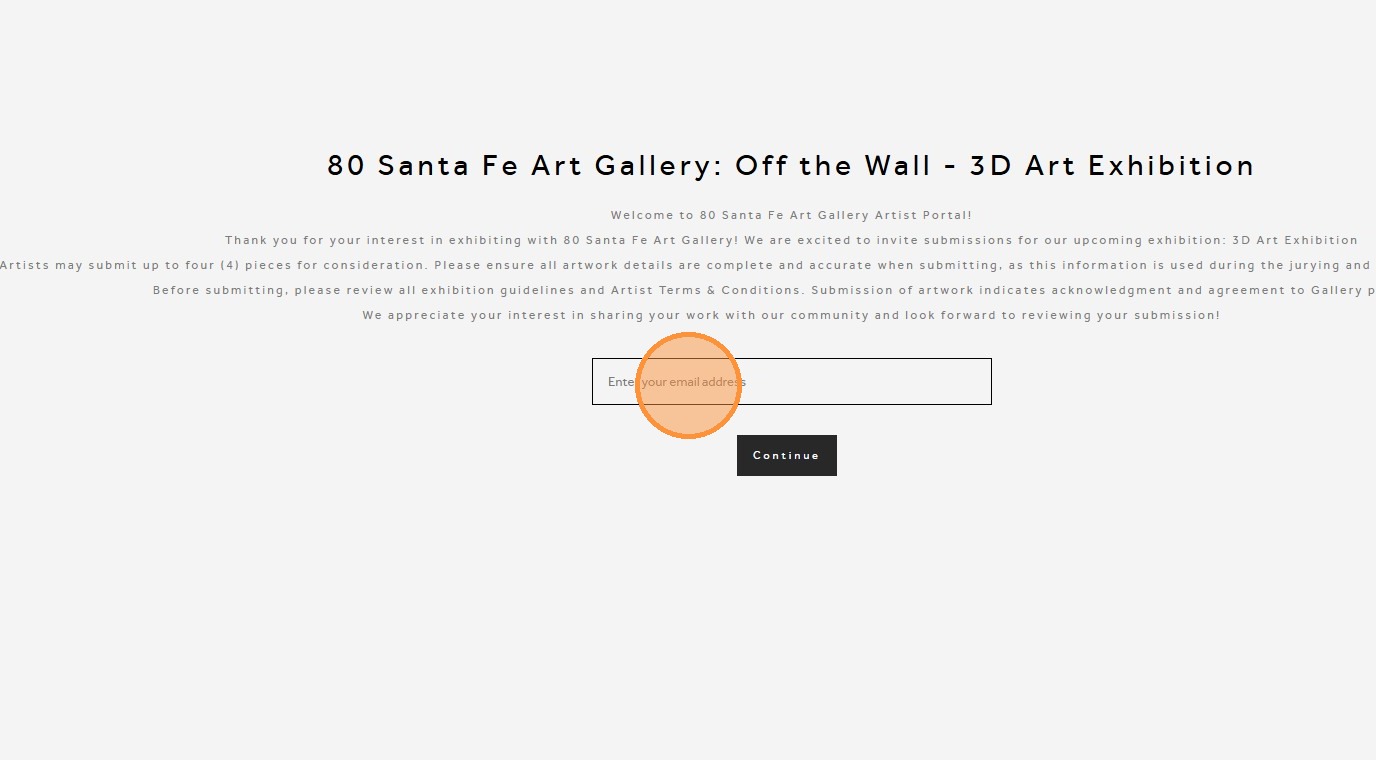
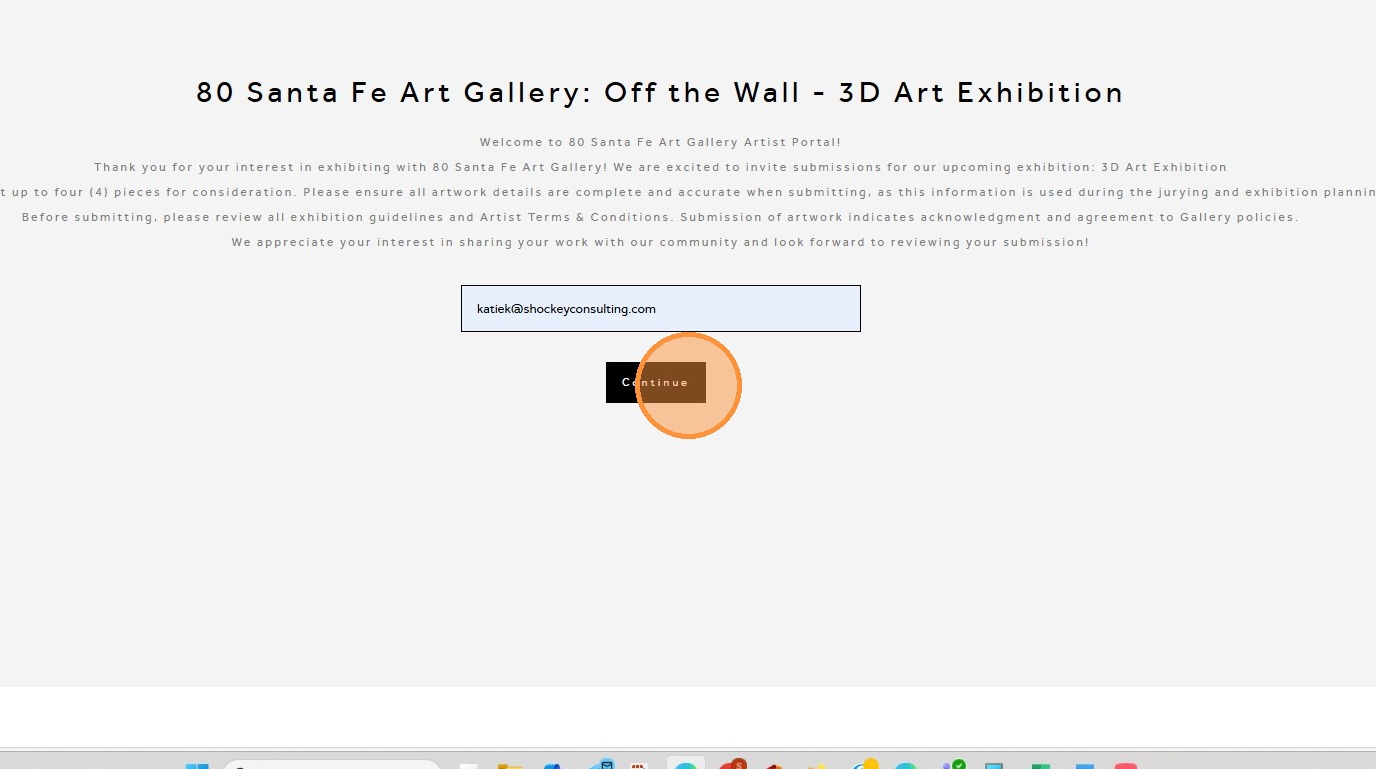
2. Enter your email and click Continue to begin the submission process.
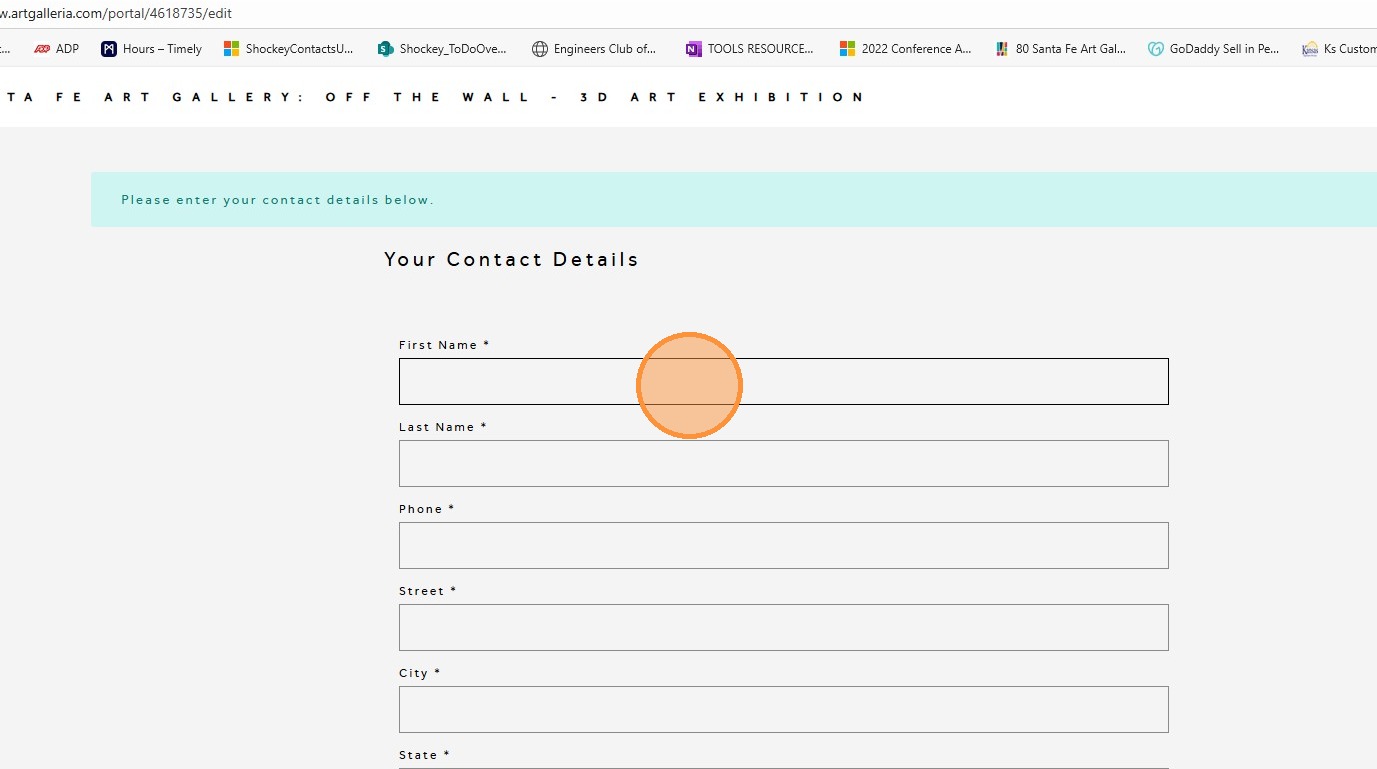
3. Enter your contact information. This information will remain private and will not be shared. If a customer requests your contact details, we will contact you first before sharing any information.
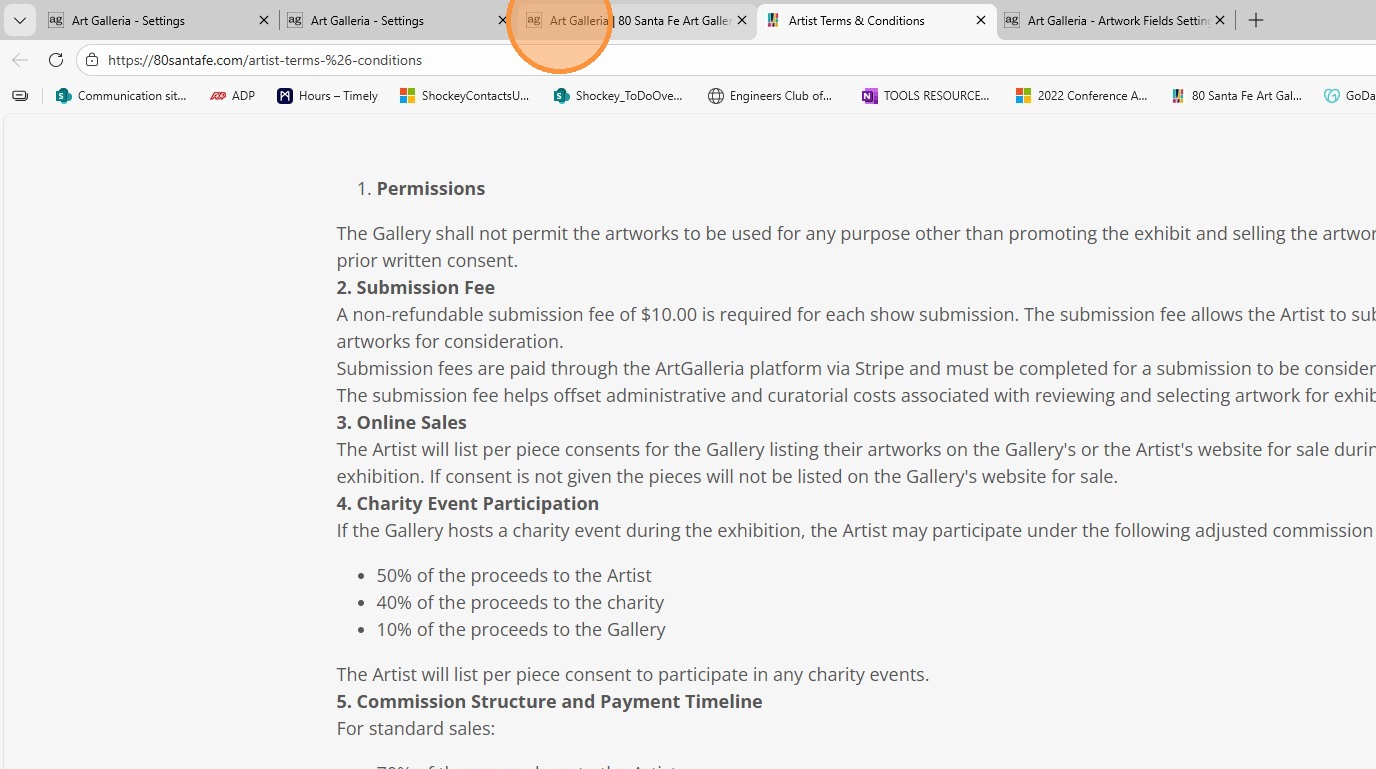
4. Please review the Terms and Conditions by clicking View. These Terms and Conditions constitute your agreement with the art gallery.
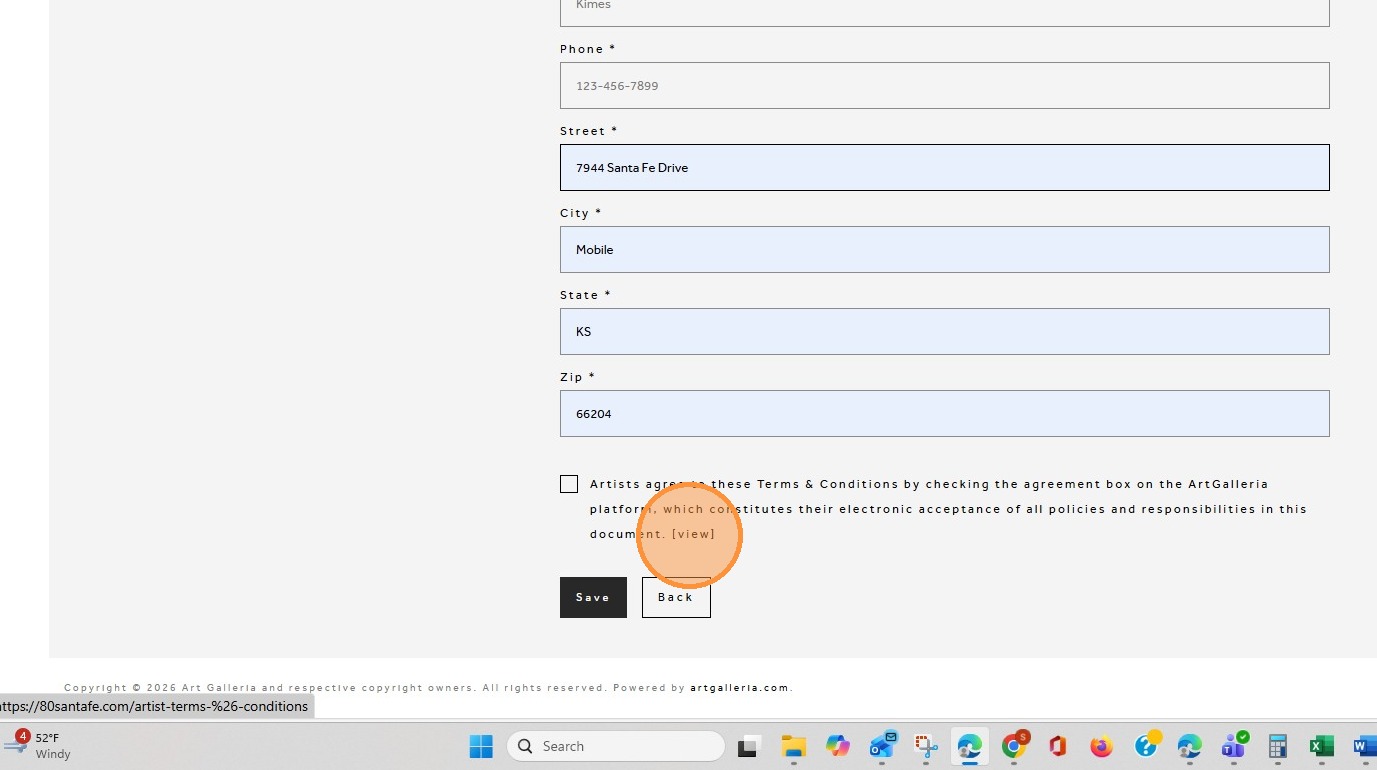
5. Clicking View will redirect you to the Artist Terms & Conditions page. After reviewing the Terms & Conditions, you may close the page or return to the previous tab
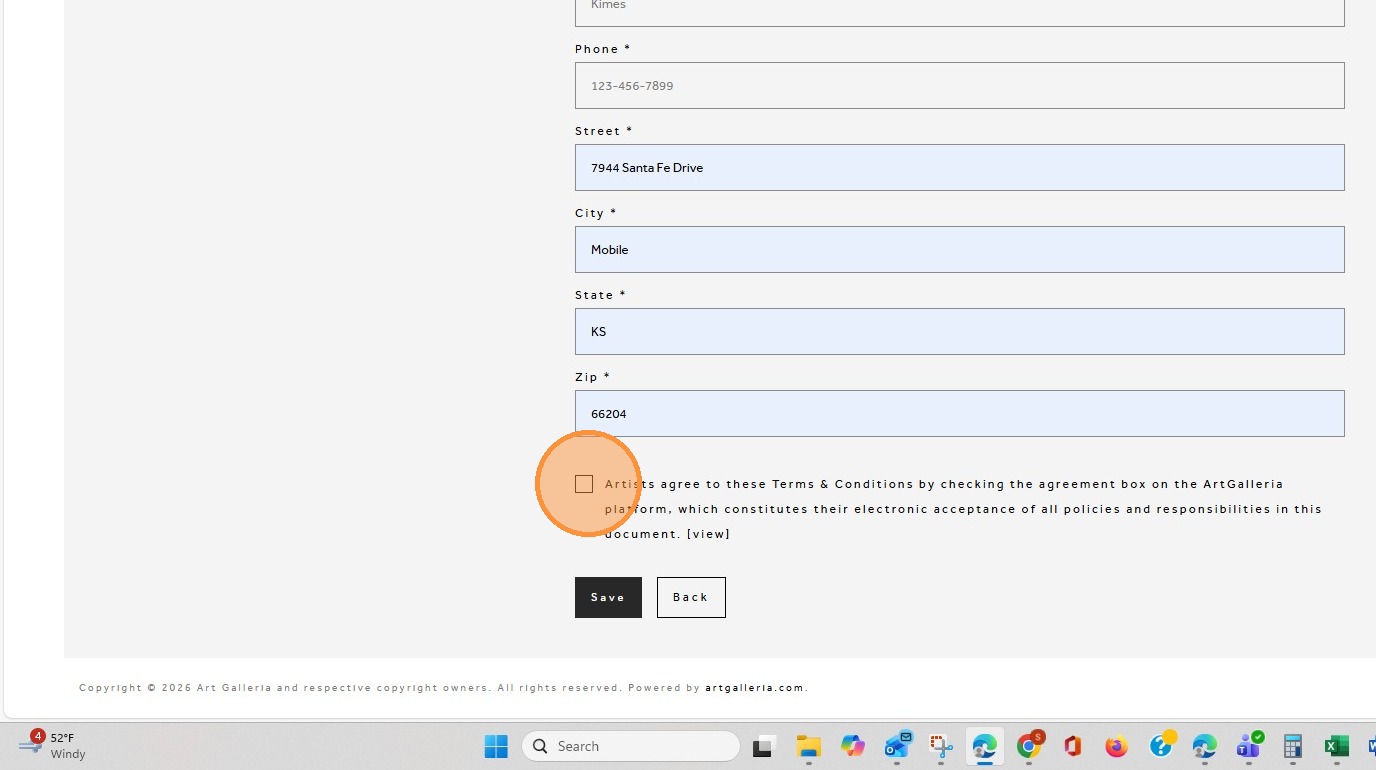
6. Check the box to indicate your agreement with the Terms & Conditions.
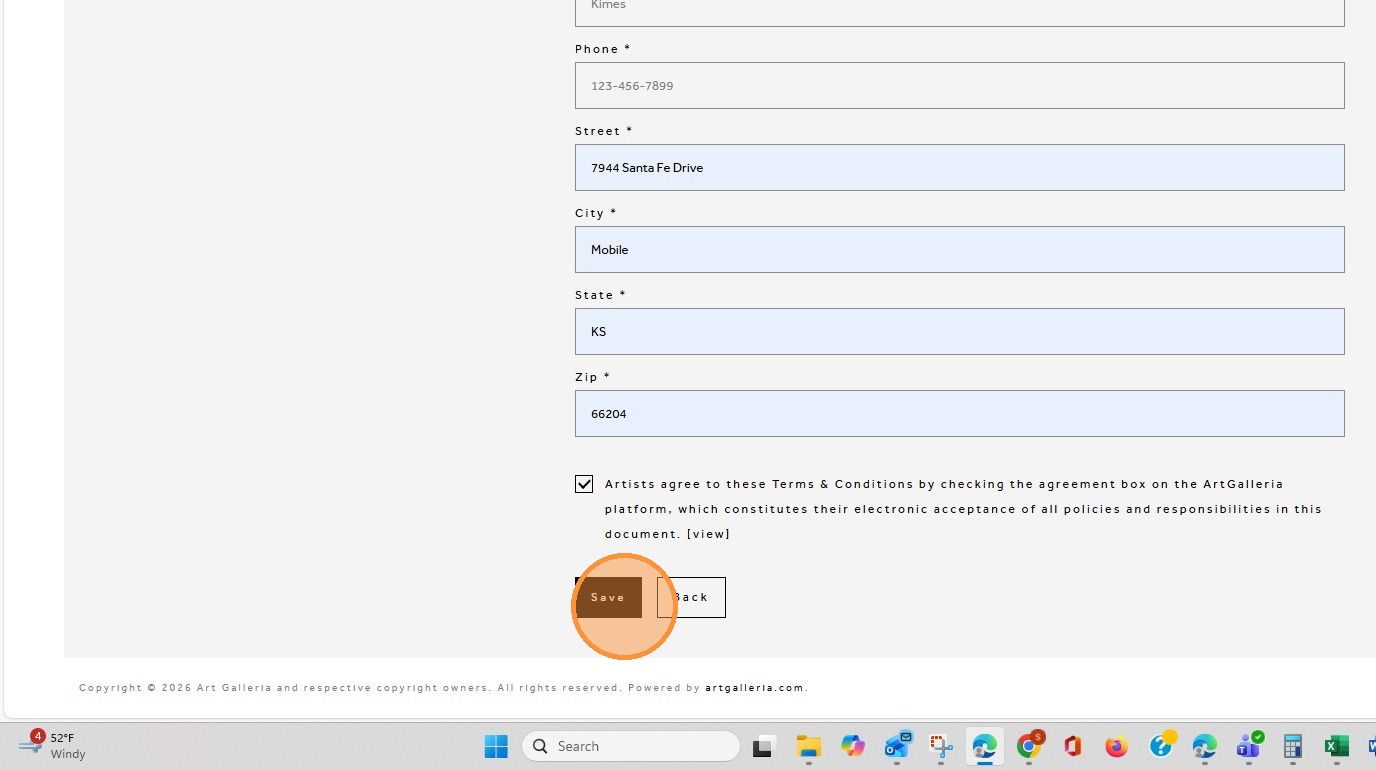
7. Click "Save"
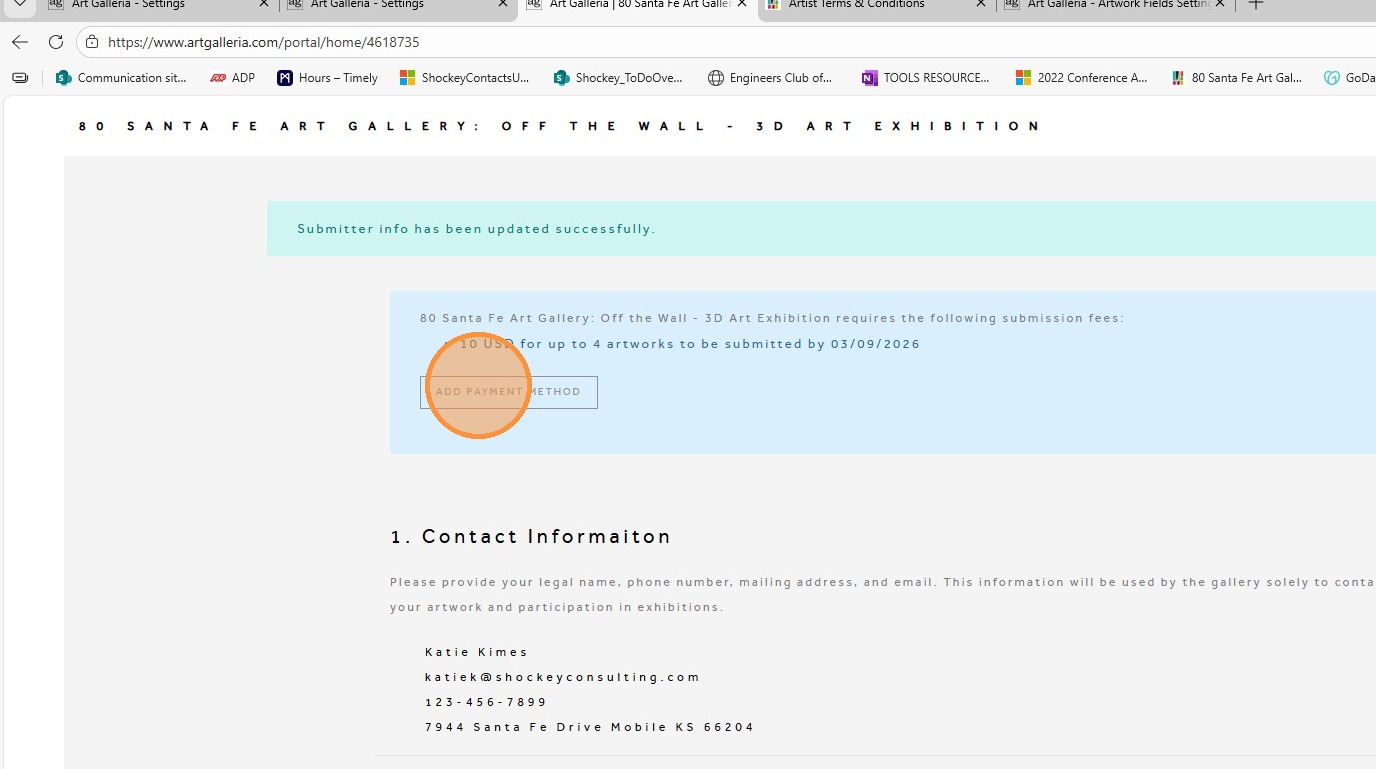
8. Click ‘Add Payment Method’ and follow the steps to submit your curating fee.
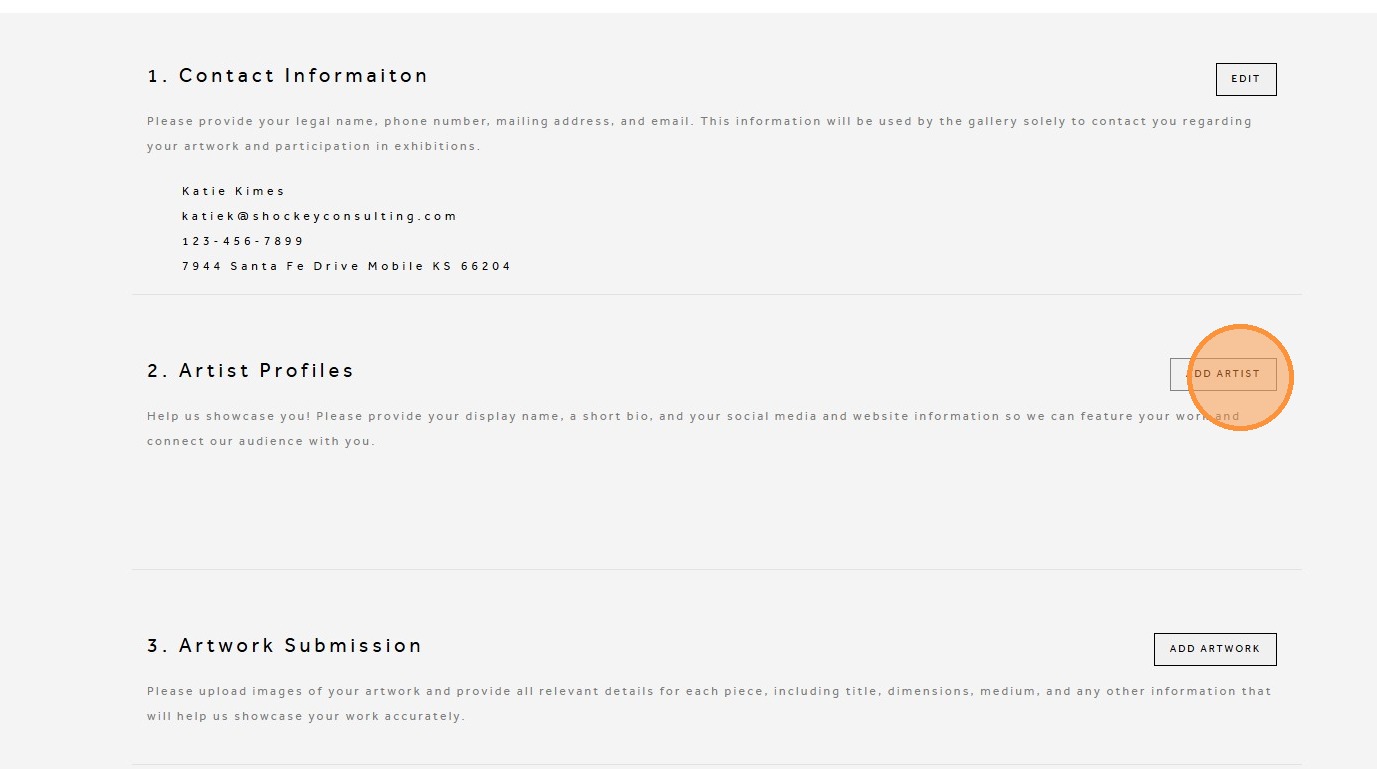
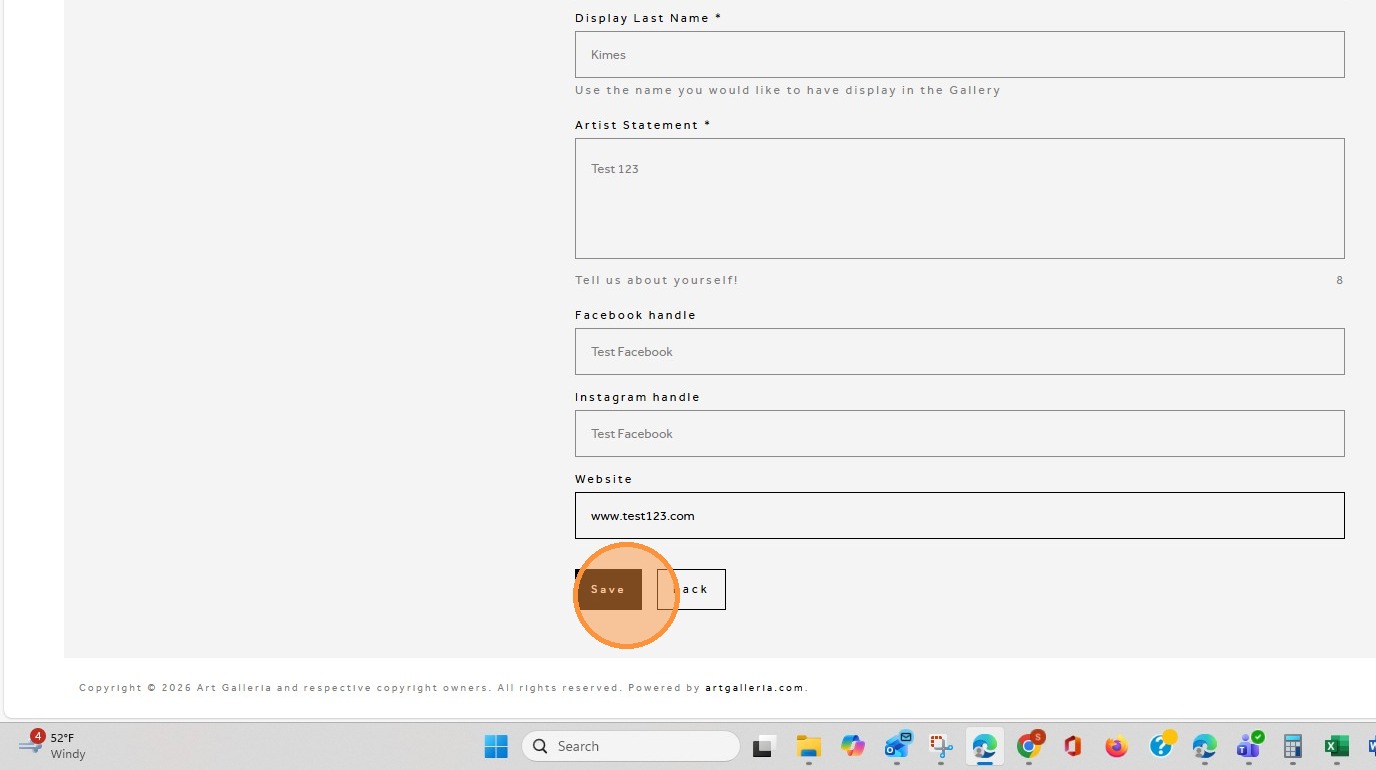
9. Click "ADD ARTIST"
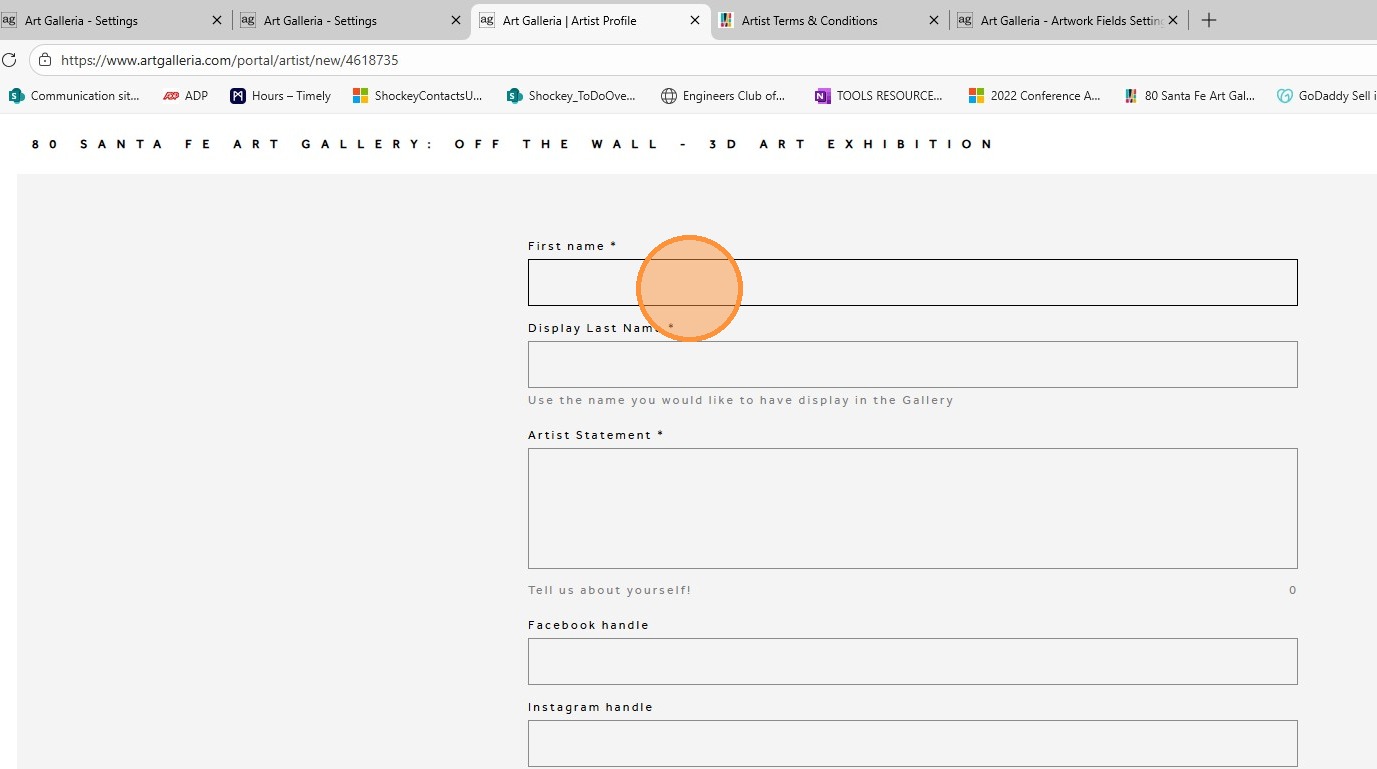
10. Add in the name you would like to be displayed in the gallery
11. Add your Artist Statement, which is a brief summary of you as an artist.
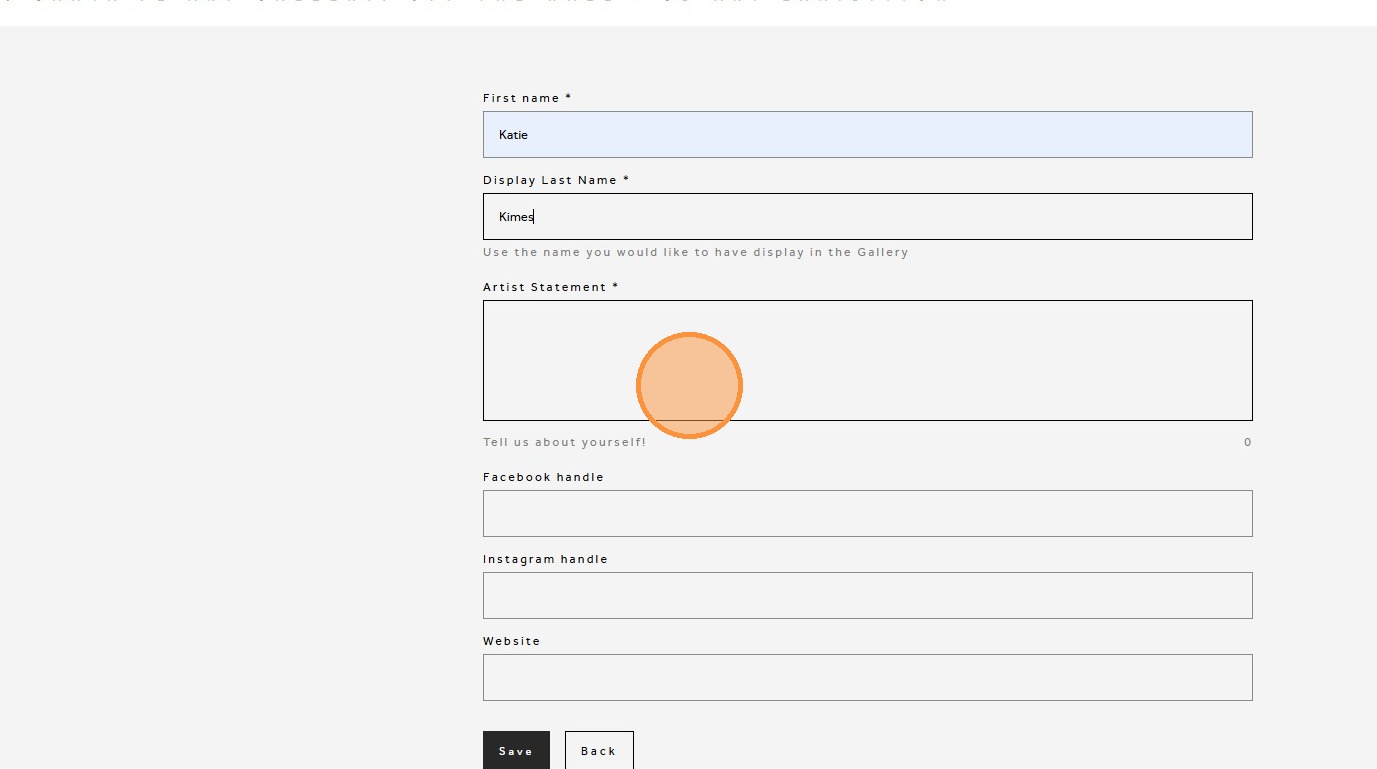
12. Add your Facebook and/or Instagram handle, and your website if you have one
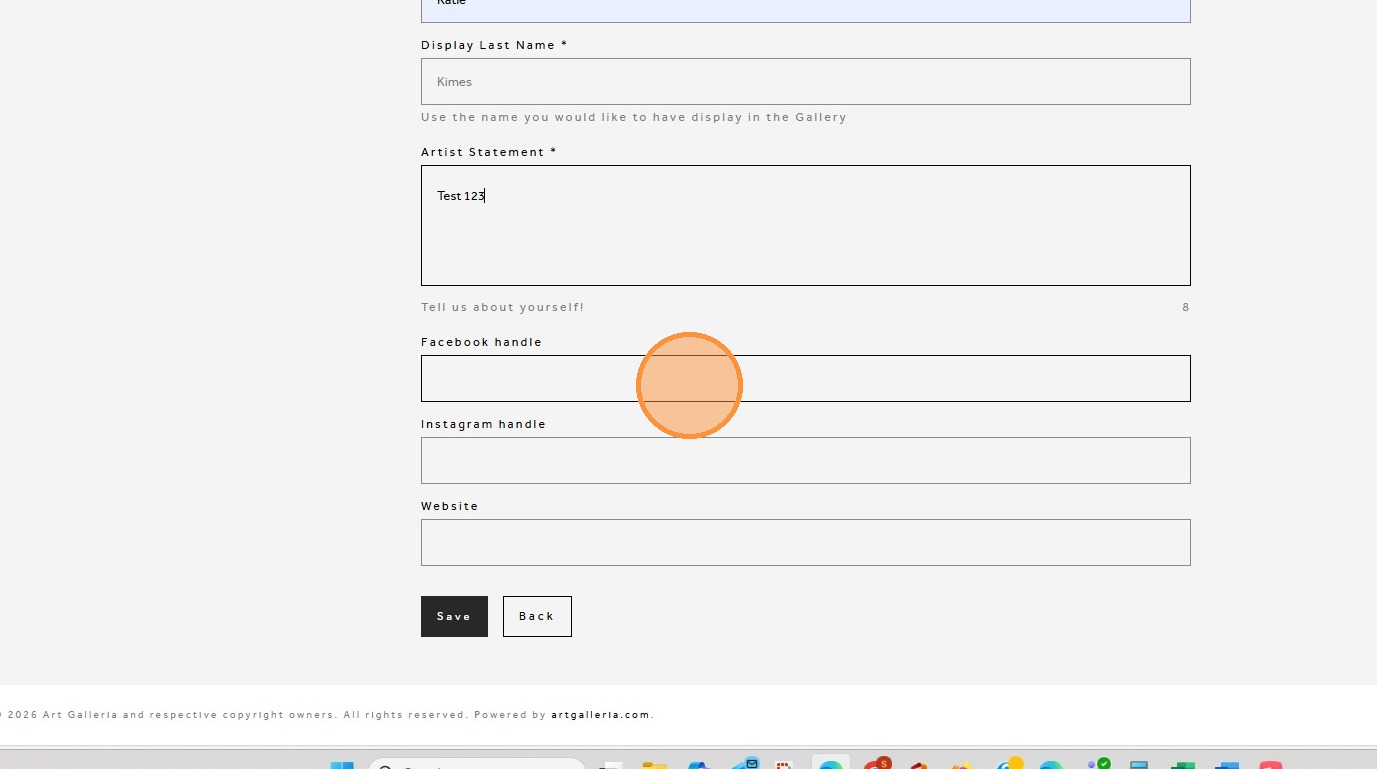
13. Click "Save"
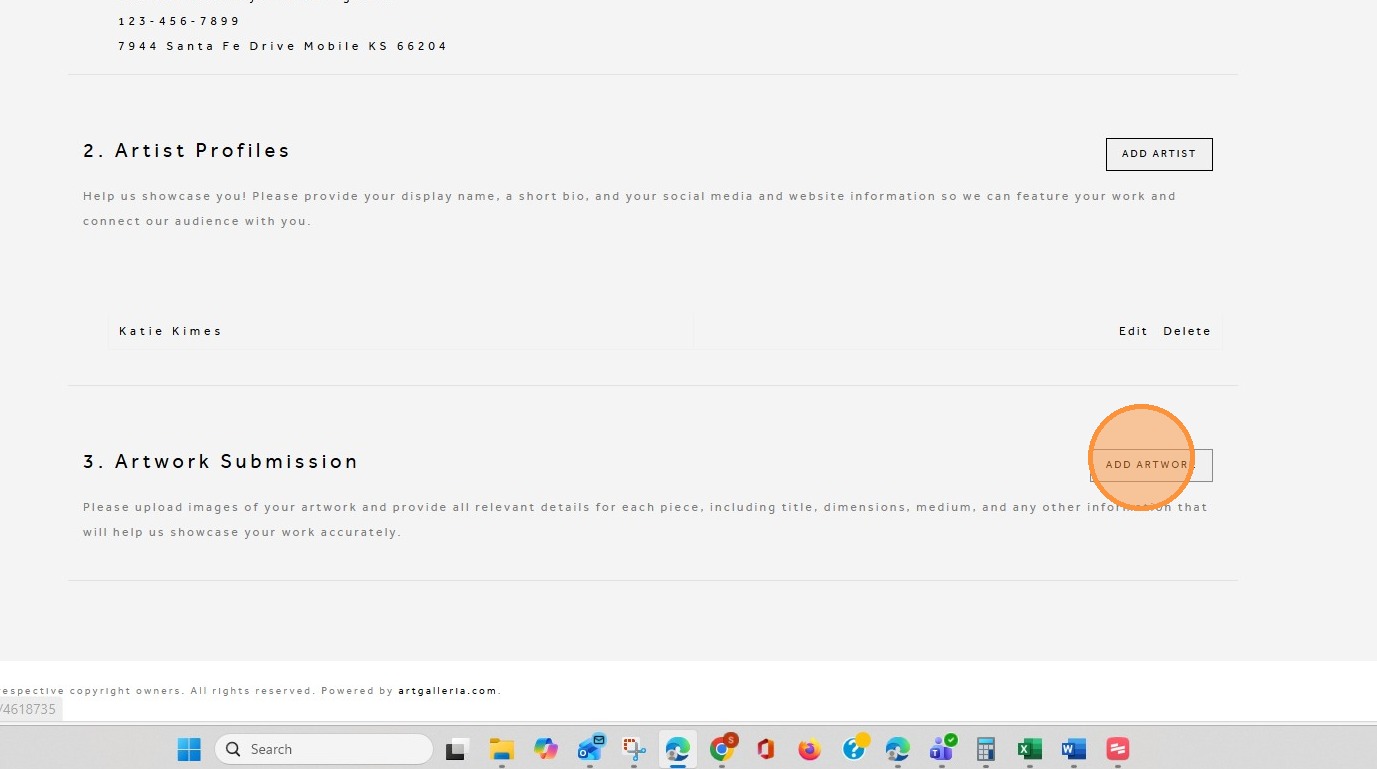
14. Click "ADD ARTWORK"
15. Add all information pertaining to the artwork
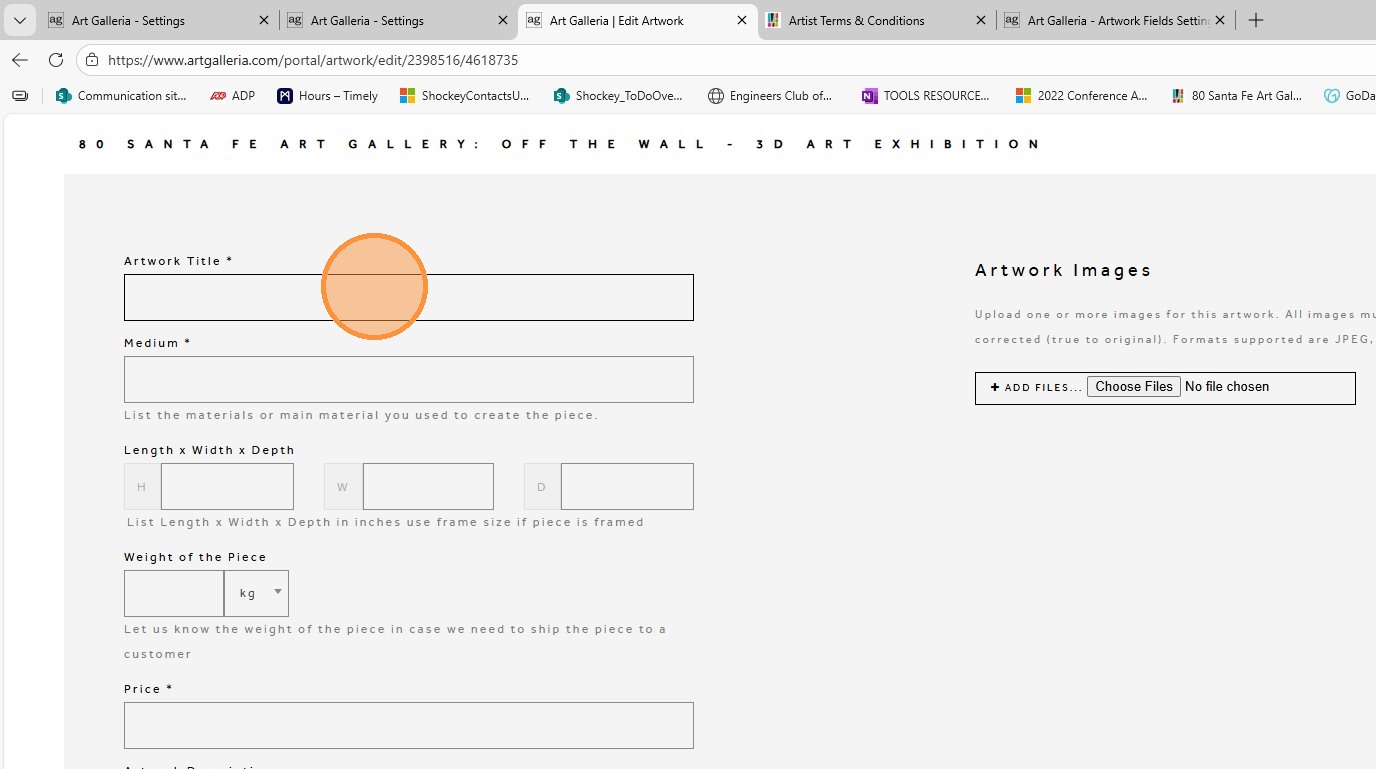
16. If you do not see your select medium you can type in your answer
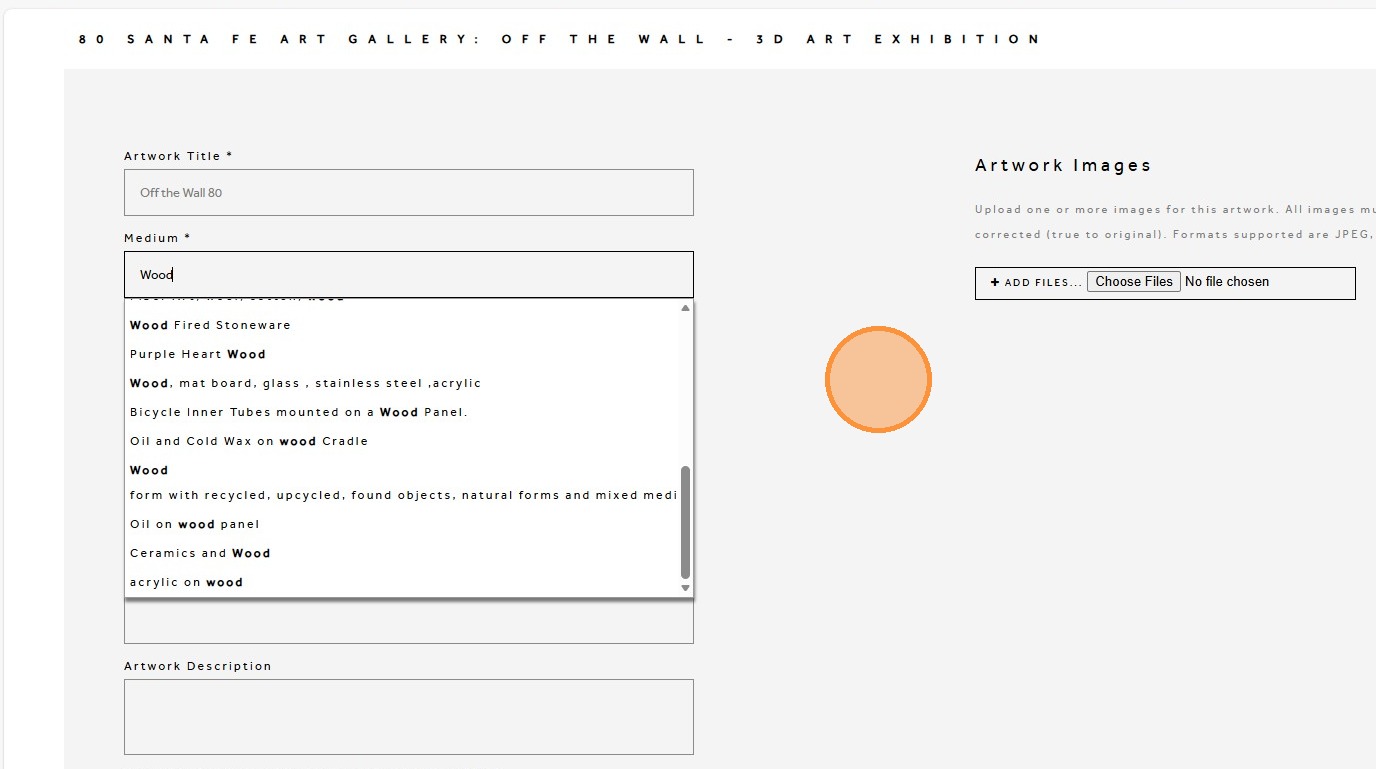
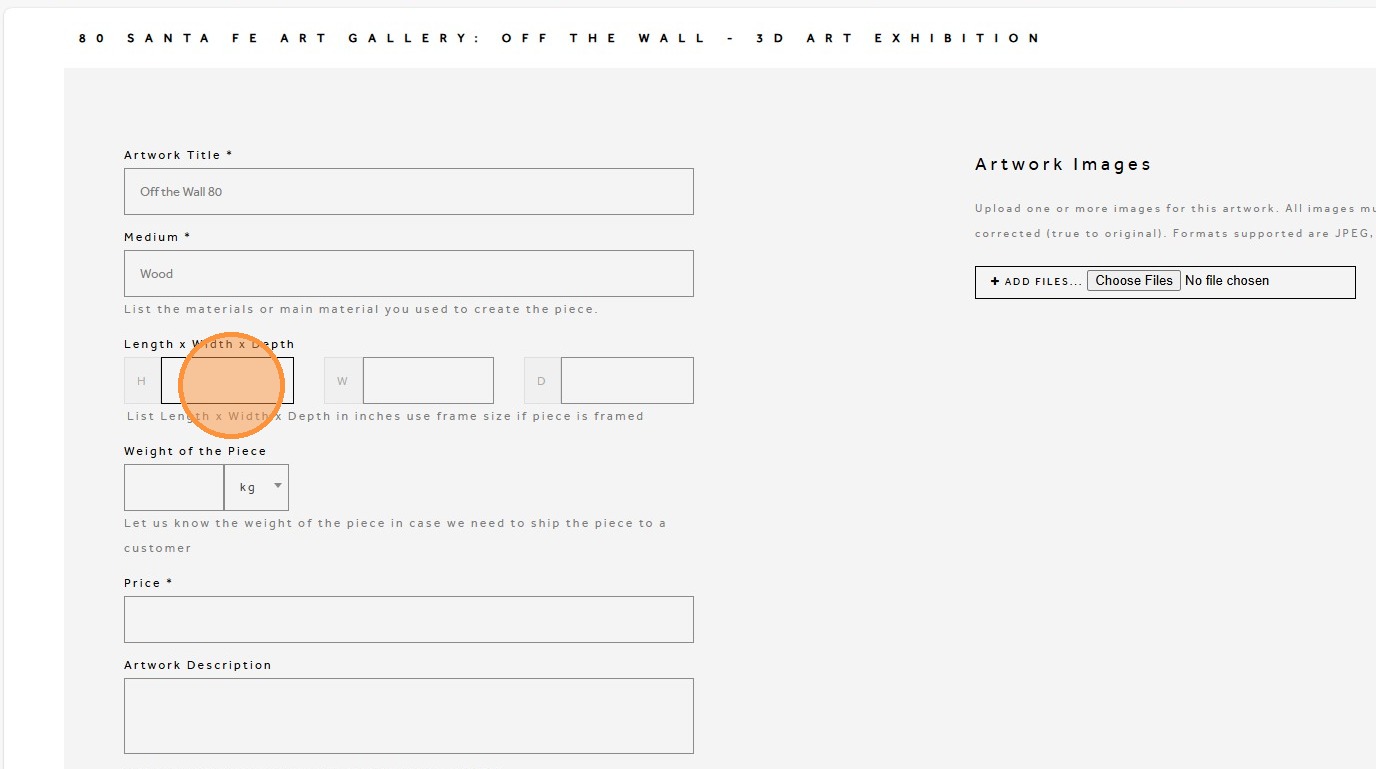
17. Add dimensions in inches and weight in pounds
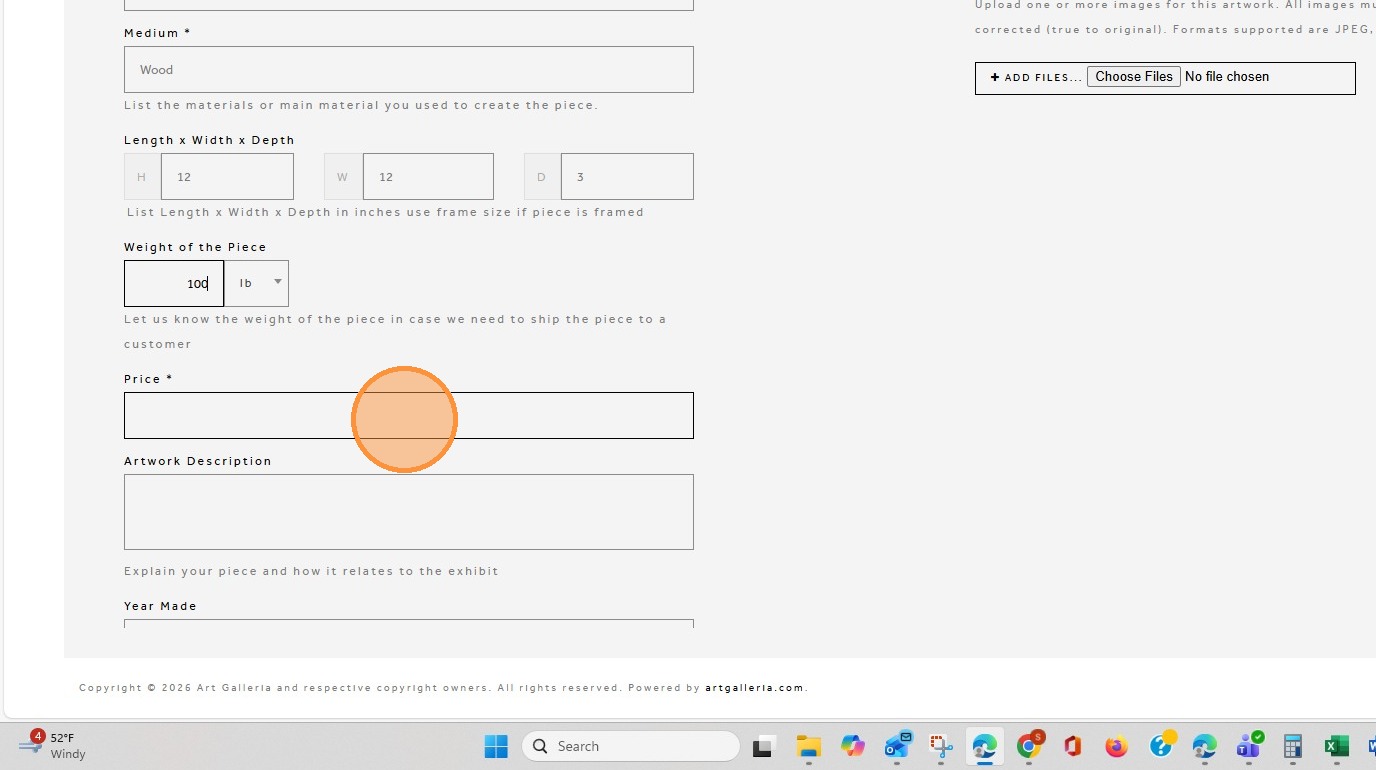
18. Add the price of the piece.
19. Add a brief description of the artwork.
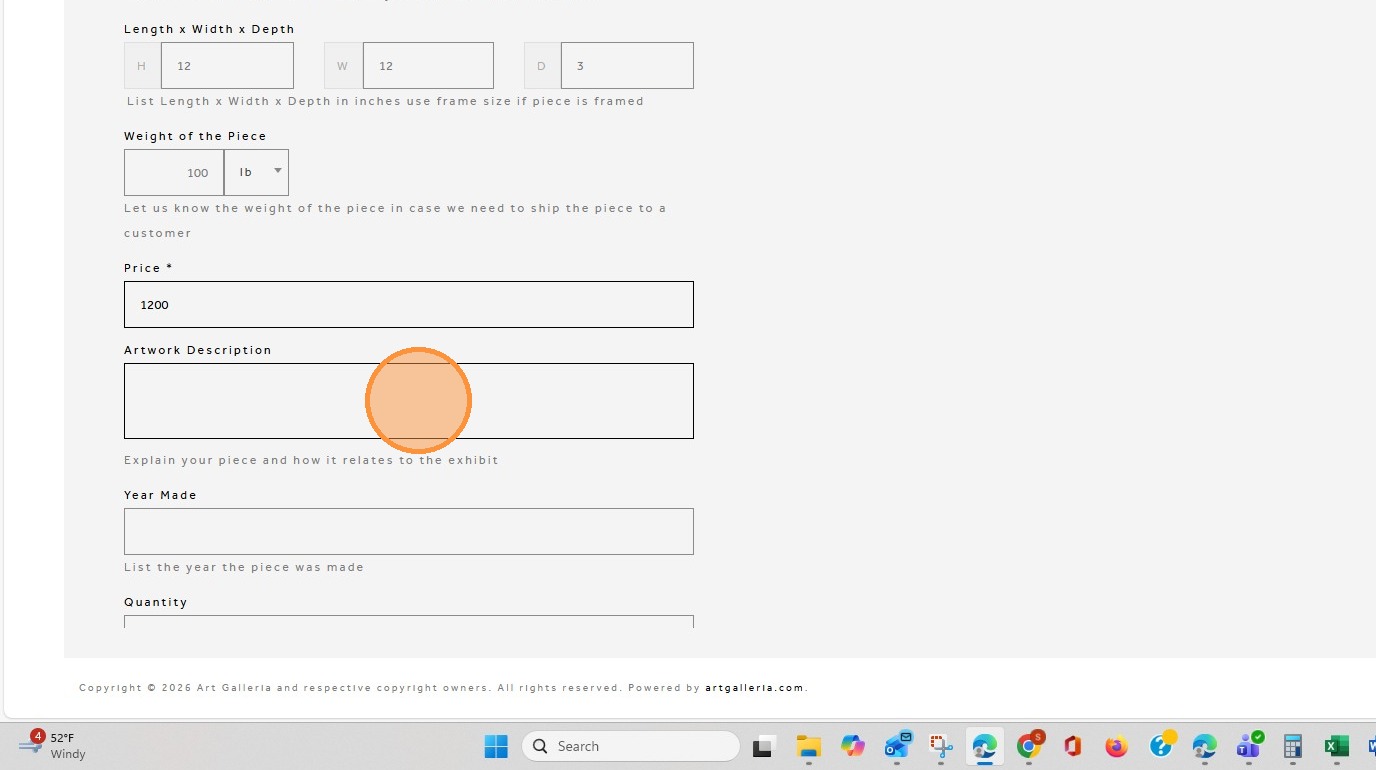
20. Add the year the artwork was made.
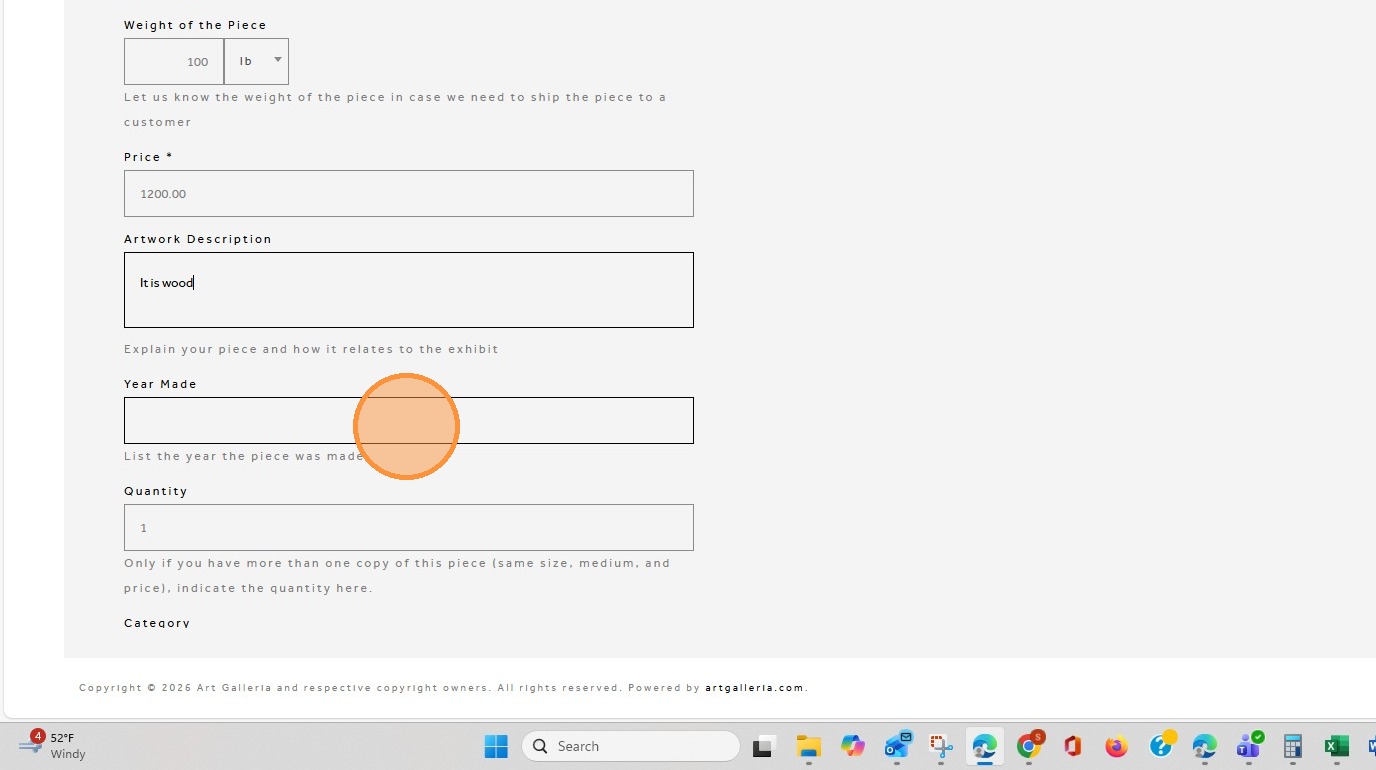
21. Only update the quantity if have more than one copy of the piece (same size, medium, price, etc) and you have prior approval to bring more than one copy.
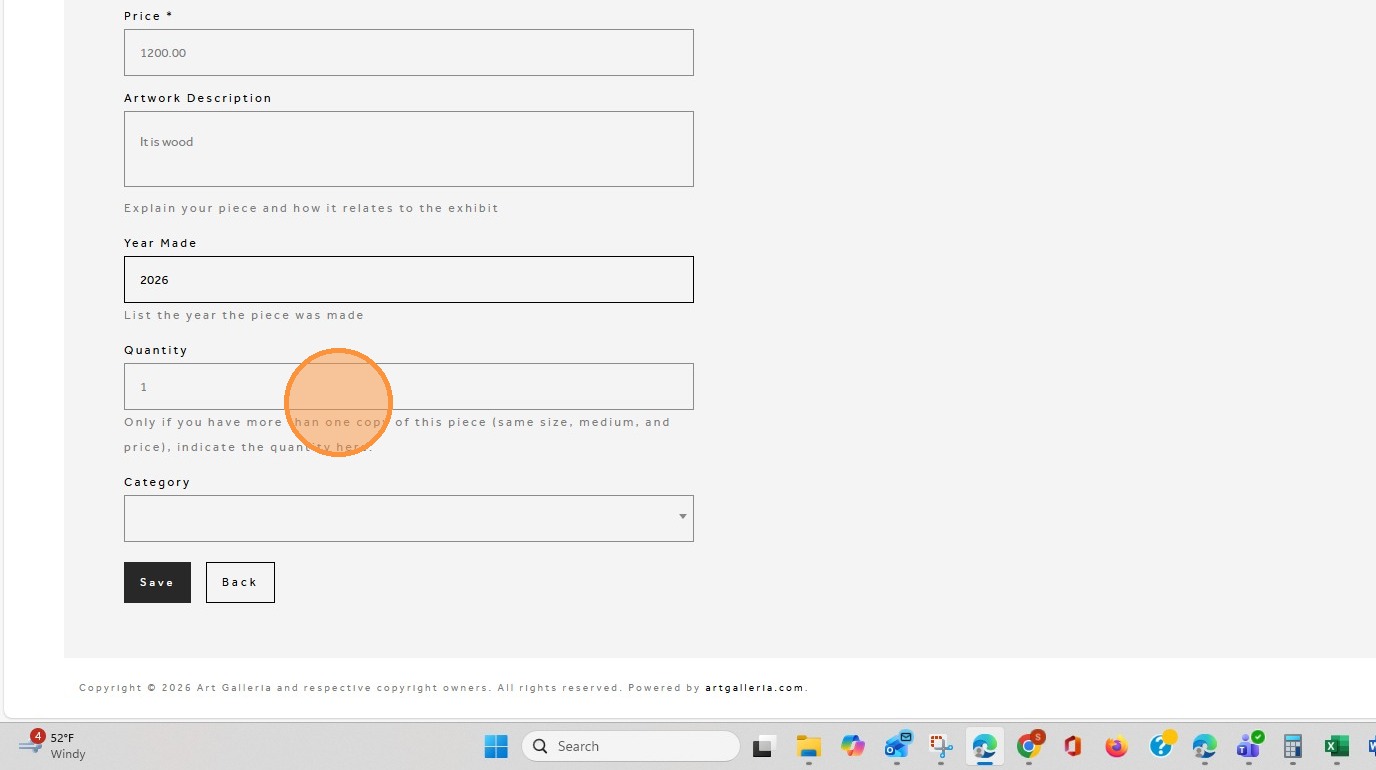
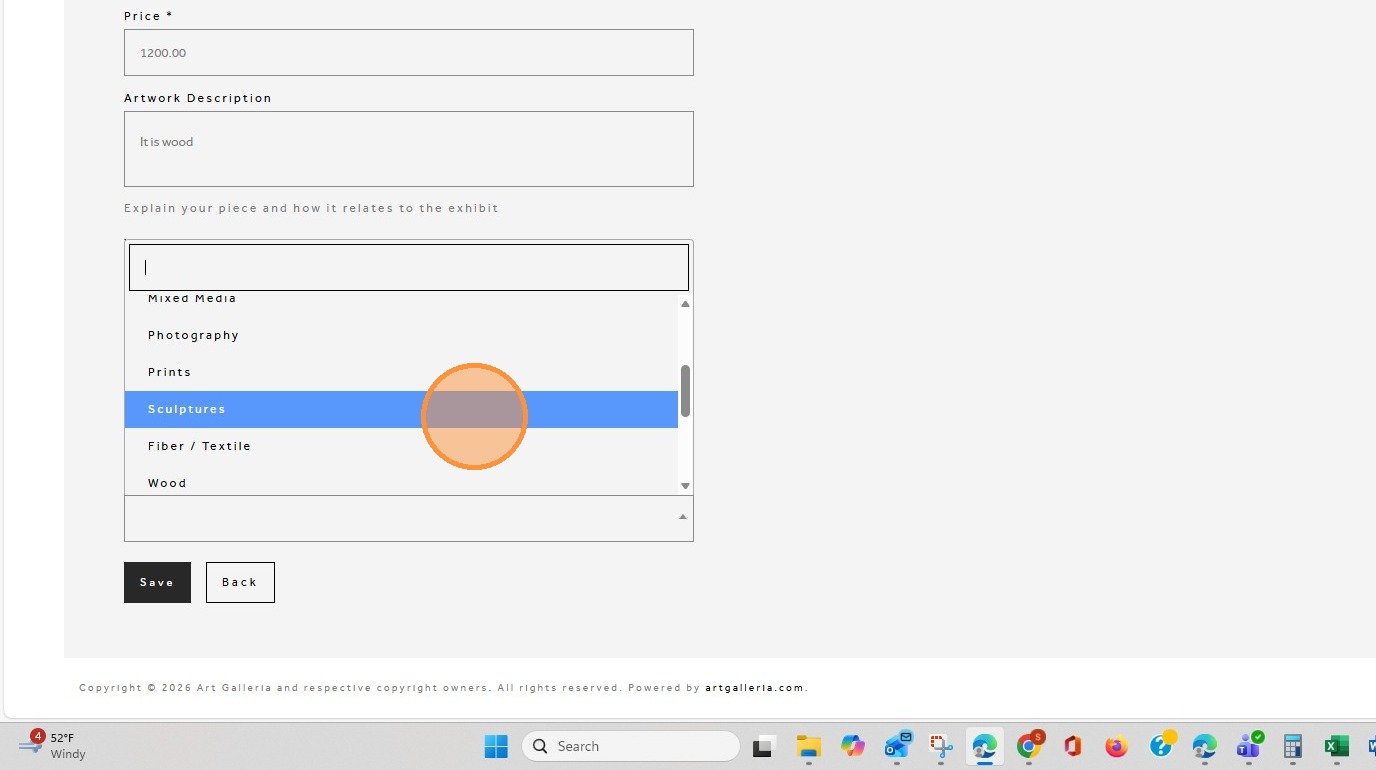
22. Click ‘Category’ and select the category that best relates to your piece.
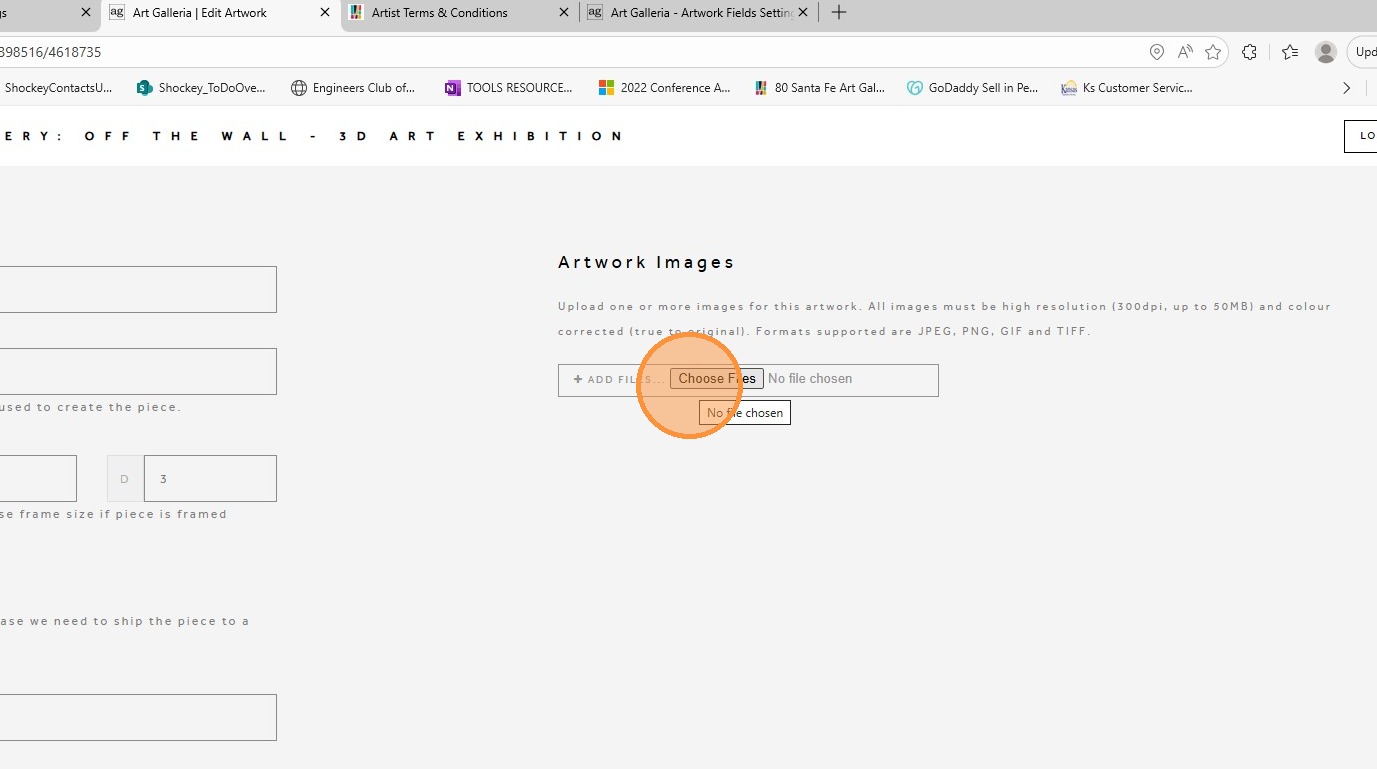
23. At the top of the page on the right side click on choose files to upload a picture of your artwork.
24. Click ‘Save’ when you are finished. Using the Back button may prevent your information from saving. You may save and return to update your piece at any time before submitting the artwork.
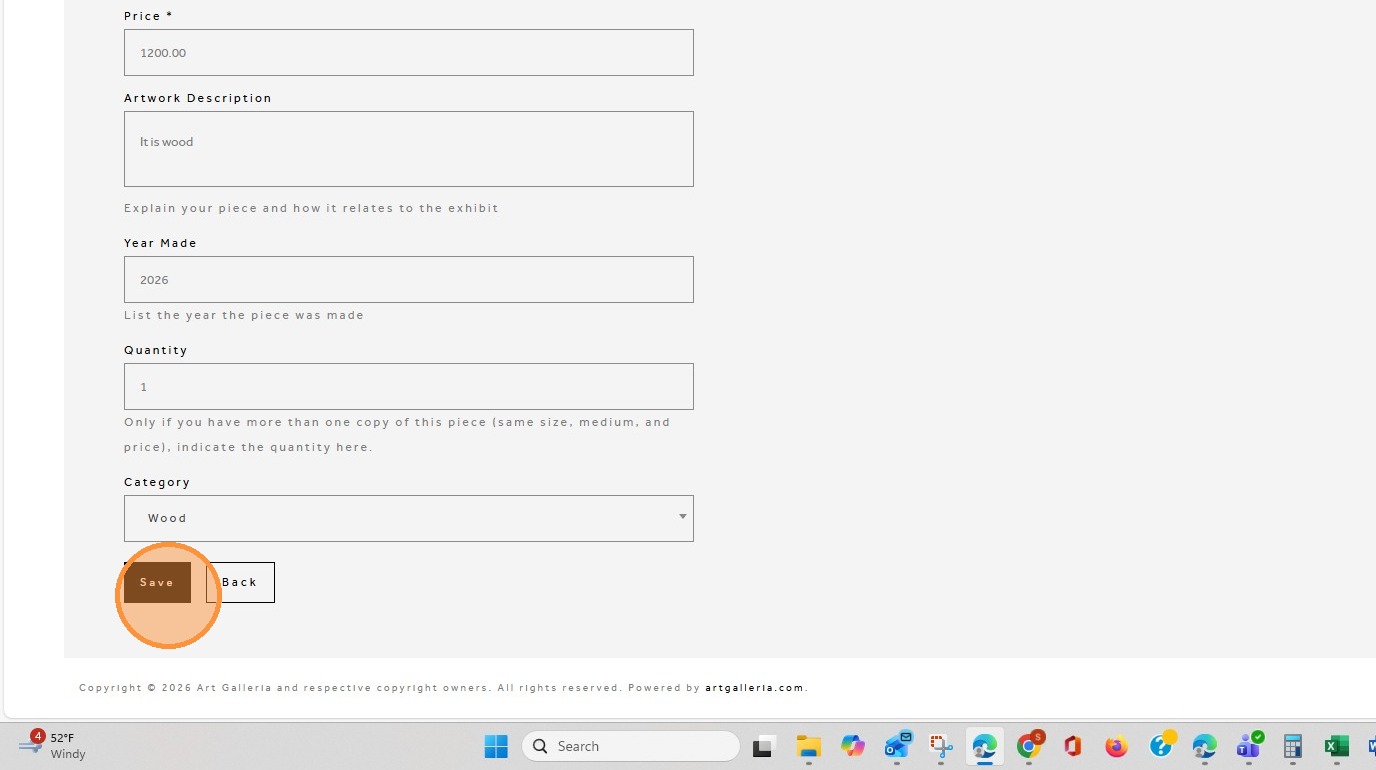
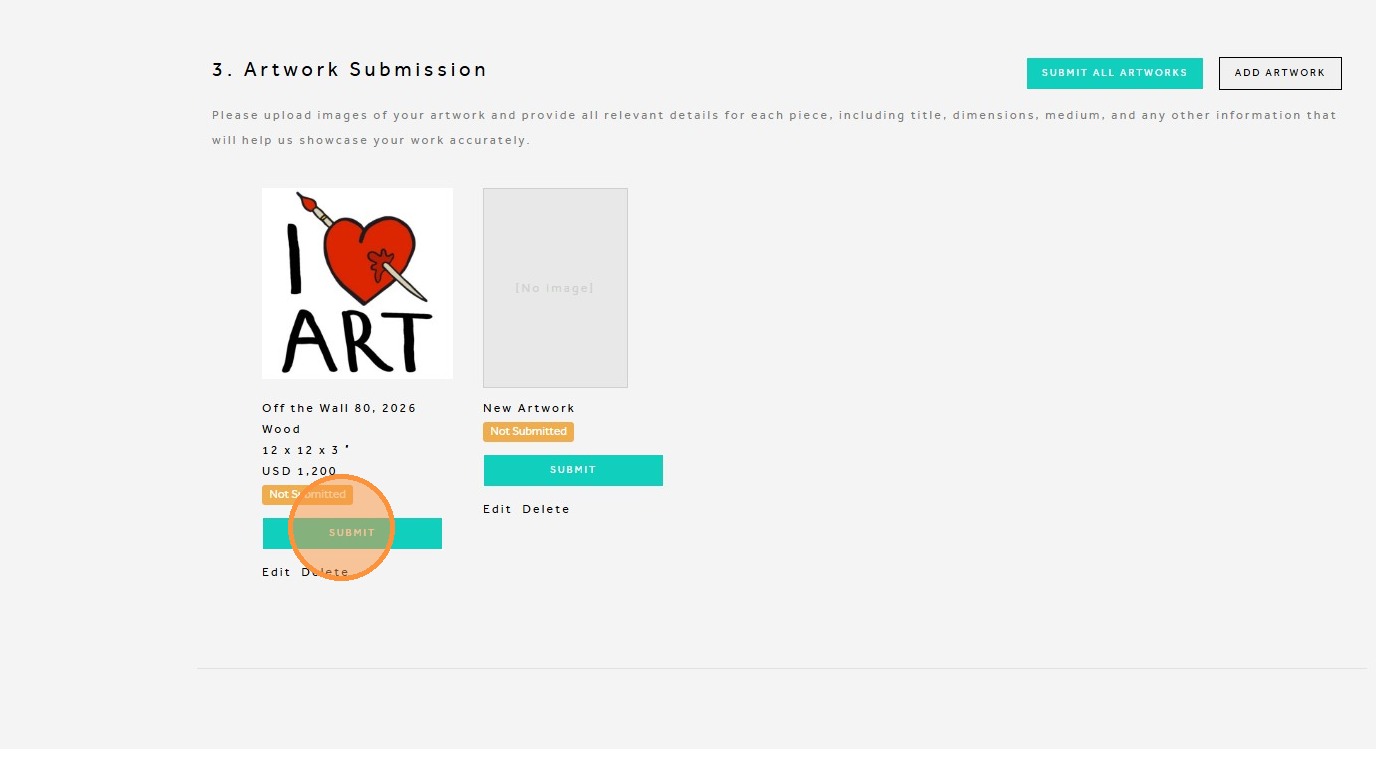
25. You can either add additional artwork by click on Add Artwork
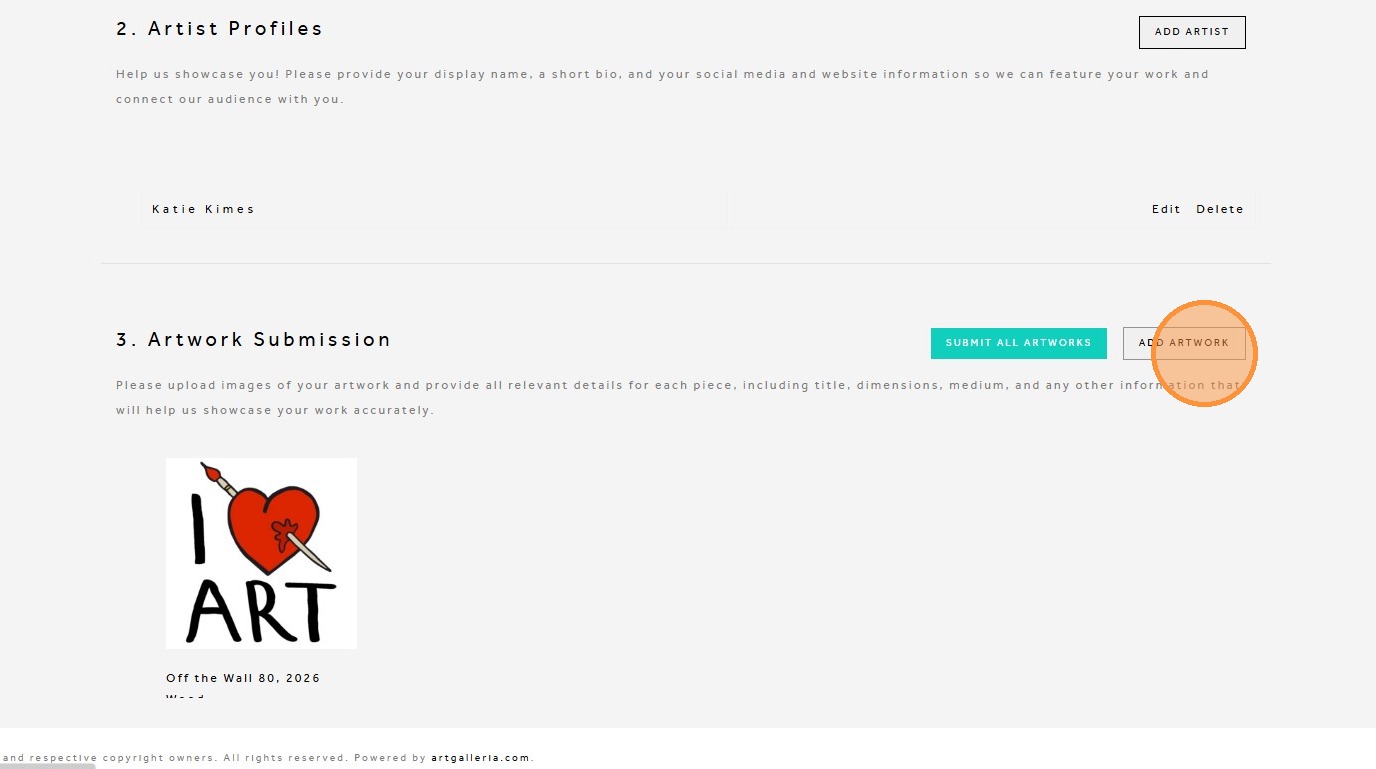
26. Once you are ready to submit, click Submit on each individual piece or select Submit All Artworks. Please note that once submitted, you will not be able to make changes. If updates are needed after submission, you will need to contact the gallery staff for assistance.